A look inside
A walk through a normal week in it — capturing, planning, the calendar, and the bit where you stop reorganising things by hand. Every screenshot on this page is the real app.
Chapter one
You add things the way they arrive: a line typed into the box, a thought dictated on the way to the car, an email turned into a task in one tap. You don't stop to decide which list it belongs on, what kind of thing it is, or when you'll do it.
BITS files it for you — works out whether it's a task, an event or a note, which part of your life it belongs to, and gives it a sensible title. If it guessed wrong, you change it in a tap.
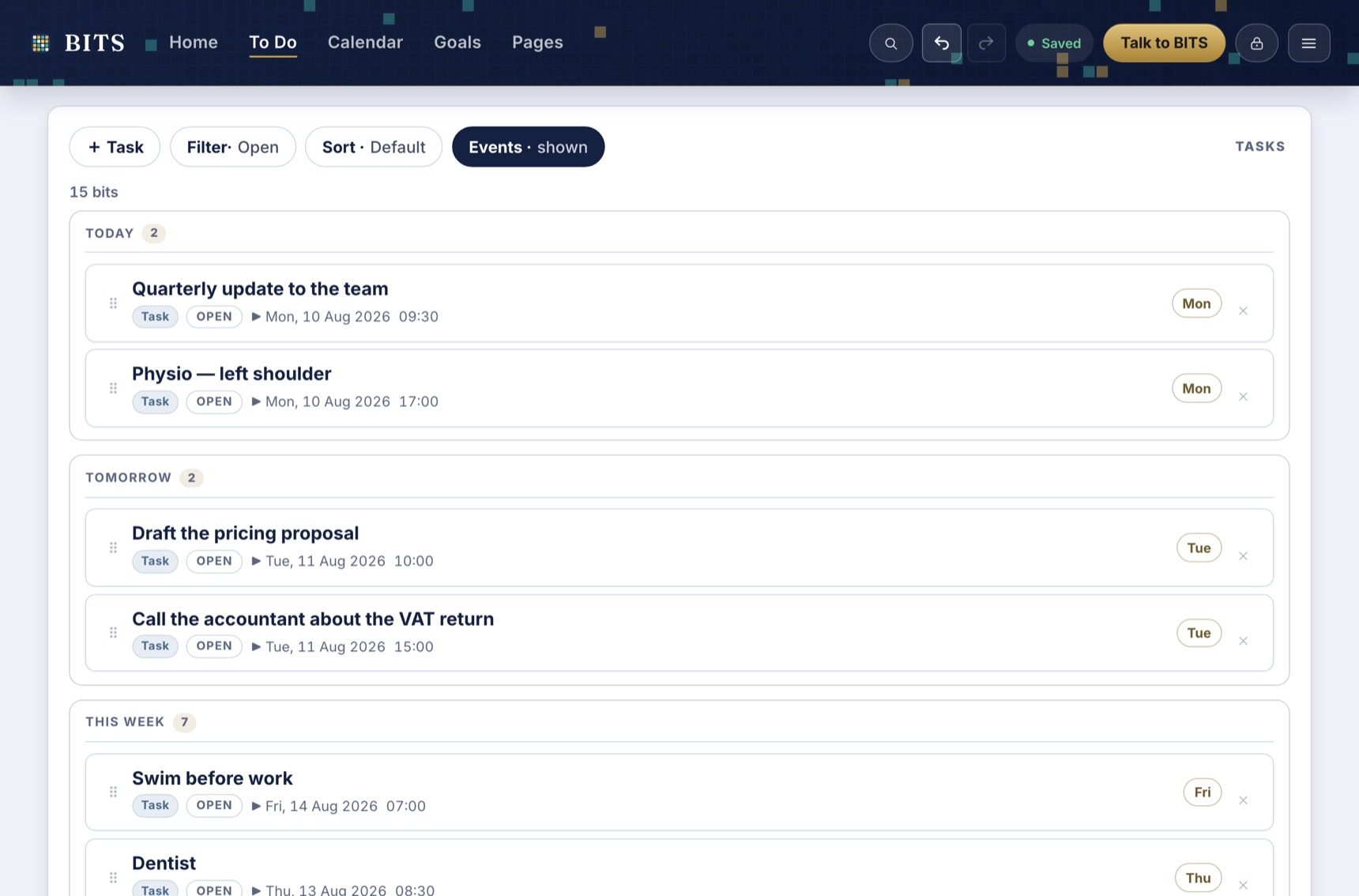
Everything you've captured, grouped by when it's due rather than which app it came from.
Chapter two
This is the part every other setup leaves to you. A list tells you what needs doing; it never tells you when, and it certainly never admits that four hours of work won't fit in a two-hour afternoon.
On the home screen your days run down the left with everything already fixed to a time. On the right is the pile that still needs a home. Drag one onto a day and it's scheduled — and you can see immediately whether the day can actually take it.
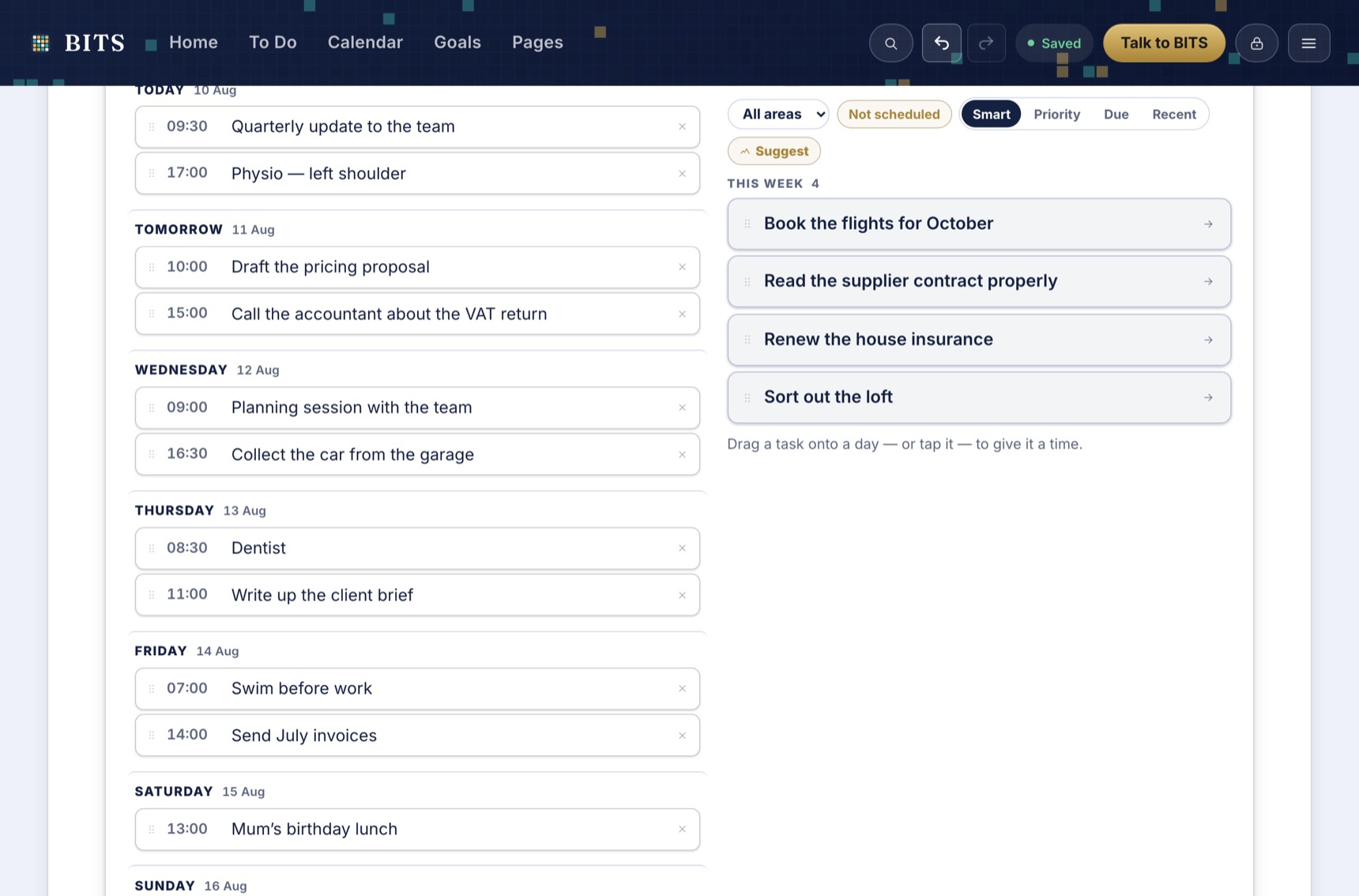
The week, and everything still looking for a home. The pile on the right is the honest bit.
An event that has passed has simply passed — no overdue badge, no guilt mechanism. Only tasks can still be waiting, and even then the language stays calm.
Give something a revisit date and it disappears until then. It isn't nagging you from the bottom of a list for three weeks; it just comes back on the day.
Chapter three
There's no second app to keep in step, and nothing to copy across. Give a task a time and it appears here, next to the dentist and the school run, competing for the same afternoon — because it is competing for the same afternoon.
Drag to move something, grab its edge to give it longer. Connect Google and your existing calendar appears here too, and changes you make in BITS go back the other way.
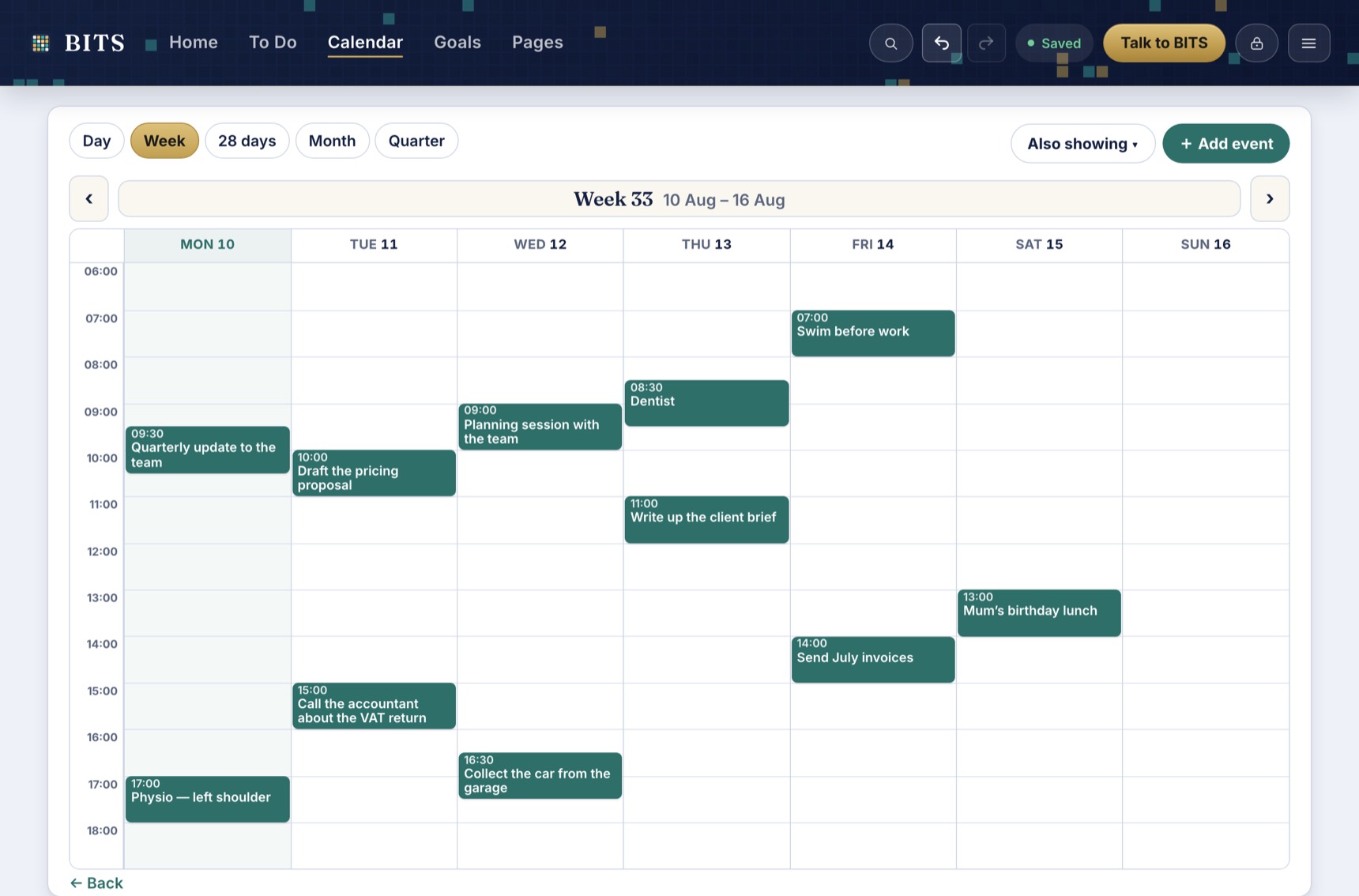
Work and commitments on the same grid. The gold line is now.
Chapter four
It always does. A meeting overruns, someone's ill, a deadline moves — and suddenly being organised means twenty minutes of dragging things around, which is exactly the moment most people quietly give up on a system.
In BITS you say what happened, in the words you'd use to a colleague.
"Tuesday is too full. Move the pricing proposal to Wednesday morning and give it two hours."
It proposes; you decide. Every change is named and can be dropped on its own, and the whole batch undoes in one step if you change your mind. Underneath the proposals it tells you exactly what it looked at to answer you — and what it didn't.
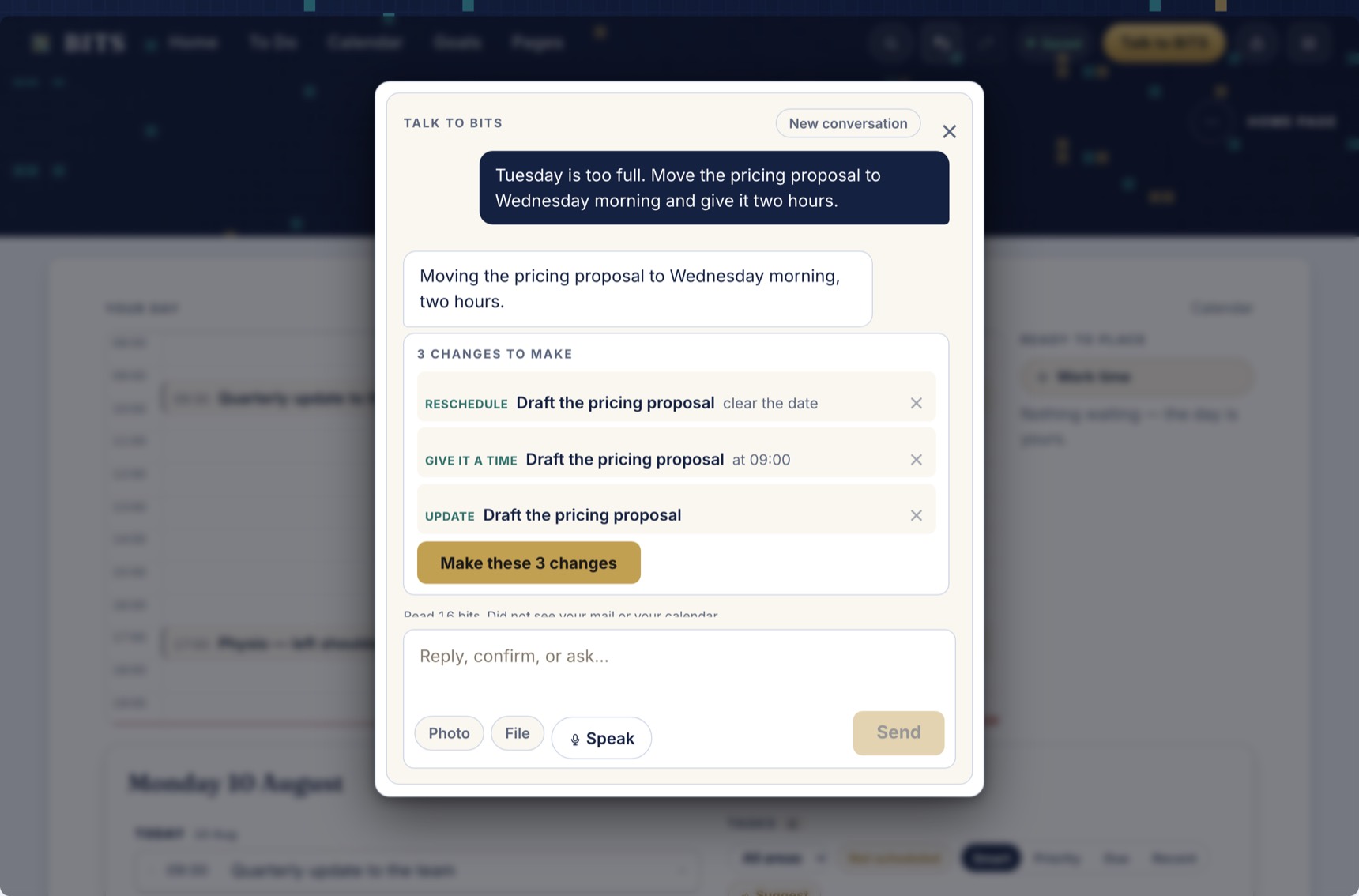
A real answer from the app — three specific changes, each one droppable, applied only when you say so.
Ask about a page and it has the page's real content, not just its title. Ask from anywhere and it reaches across the vault for whatever is relevant.
BITS only thinks when something invites it — you asking, or opening the day. There's no background process reading your life, and every request is logged where you can read it.
The rest of the house
None of this is compulsory. Switch on what you want; anything you don't use comes off the screen entirely.
Documents that live beside the work they belong to, with proper block editing, tables, images and links between pages. A page can show the tasks connected to it, so reference and action stay in sight of each other.
Gmail and your own domain mailboxes in one inbox, fetched by your device and sealed before storage. A message becomes a task in one tap and keeps its link back to the thread.
Practices you log when you do them — nothing pre-spawns, nothing turns red for a missed day. Streaks are counted from what actually happened.
Something to work towards, broken into steps that land on real days, grouped by the part of your life they belong to. Structure is optional and reversible.
Weekly, monthly, quarterly and yearly reviews run as a short chaired meeting: look back, clear the decks, plan ahead, save the minutes. BITS chairs; you decide.
Install it and it works with no connection at all — unlock, read, edit. Changes sync when you're back, and there's a one-tap switch to make the device talk to nobody.
And underneath all of it
Everything above is sealed on your device before it goes anywhere. Your password becomes a key that never leaves your hands; what reaches our servers is unreadable noise under a random ID. We hold no key, which means there is nothing we could hand over, sell, lose, or be forced to open.
When BITS helps, it's shown only the slice that one job needs — today's list, one page, one email — and every exchange is written to a log on your device you can read and clear.
The full security model sets out the machinery, the honest limits of it, and seven claims you can check for yourself in about five minutes.
No forced setup, no demo clutter to clear out. Add one thing, give it a day, and go from there.
Start free