Tasks, calendar, notes and email in one place — not four apps pretending to talk to each other. BITS shows you what your week actually looks like, plans it with you, and makes the changes itself when you ask. Sealed, so only you can read any of it.
Free while it grows · no card · works offline
Most of us run our lives across a calendar, a to-do list, a notes app and an inbox. None of them know about each other, so the joining-up is a job you do by hand, every day, forever.
BITS is one app that holds all four. A task with a time is simply an event — same thing, one list. A note can sit on the task it belongs to. An email can become a task without losing the thread it came from.
And when the week goes sideways, you don't reorganise it by hand. You say what happened, and BITS works out what needs to move.
A look at it
Three screens, from a normal week. These are real screenshots of the app, not illustrations.
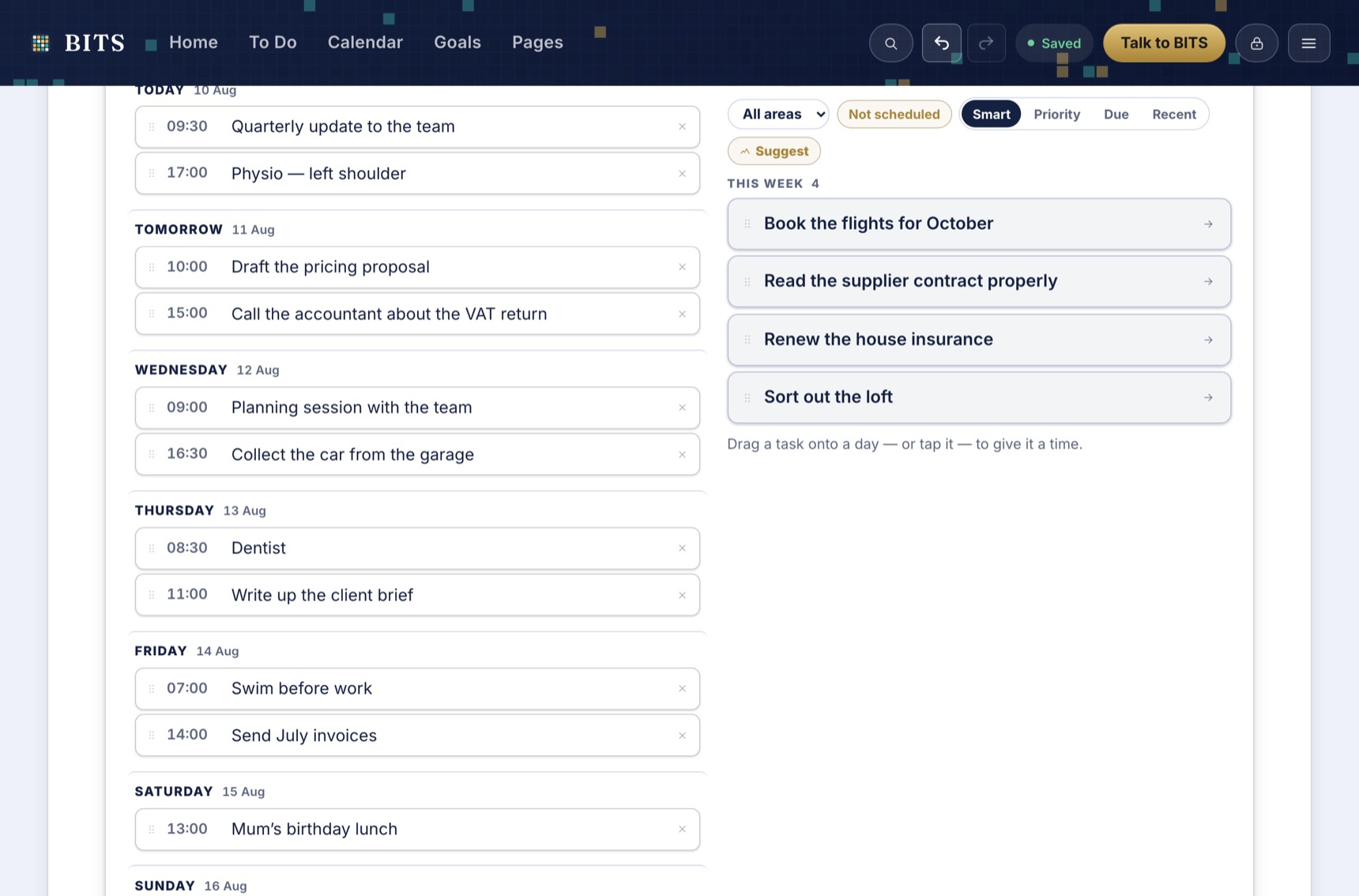
The days run down the left with whatever is already fixed to a time. On the right sits everything you've said you need to do but haven't placed yet.
Drag one onto a day and it's scheduled. That's the whole mechanic — the pile on the right gets smaller, the week fills up, and you can see the trade you're making as you make it.
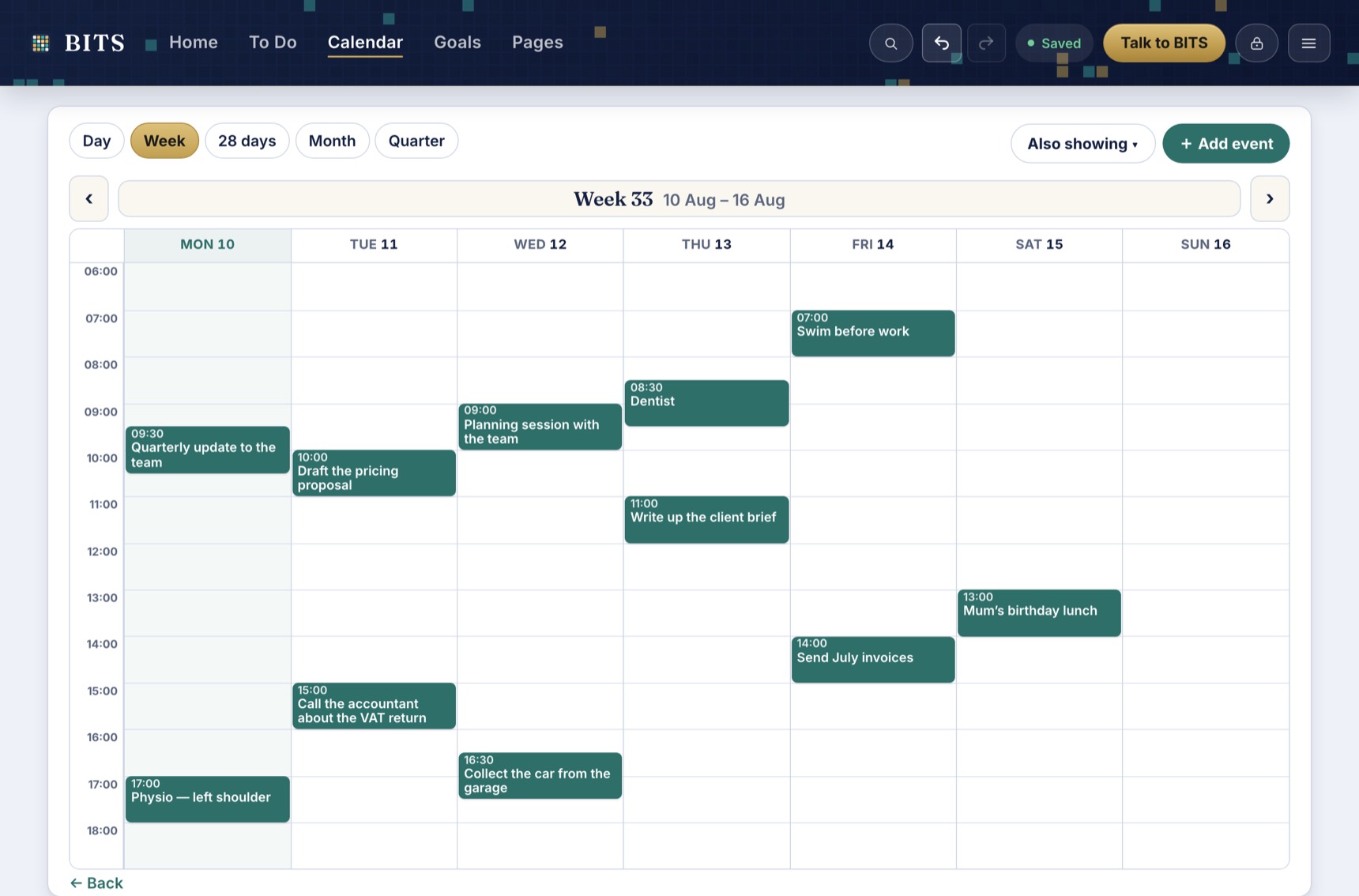
There is no separate calendar to keep in step. It's the same list, drawn against the hours — so the report you promised and the dentist appointment sit in the same day, competing for the same afternoon, which is the truth.
Drag to move it, grab an edge to give it longer. Connect Google and your existing events appear here too, both ways.
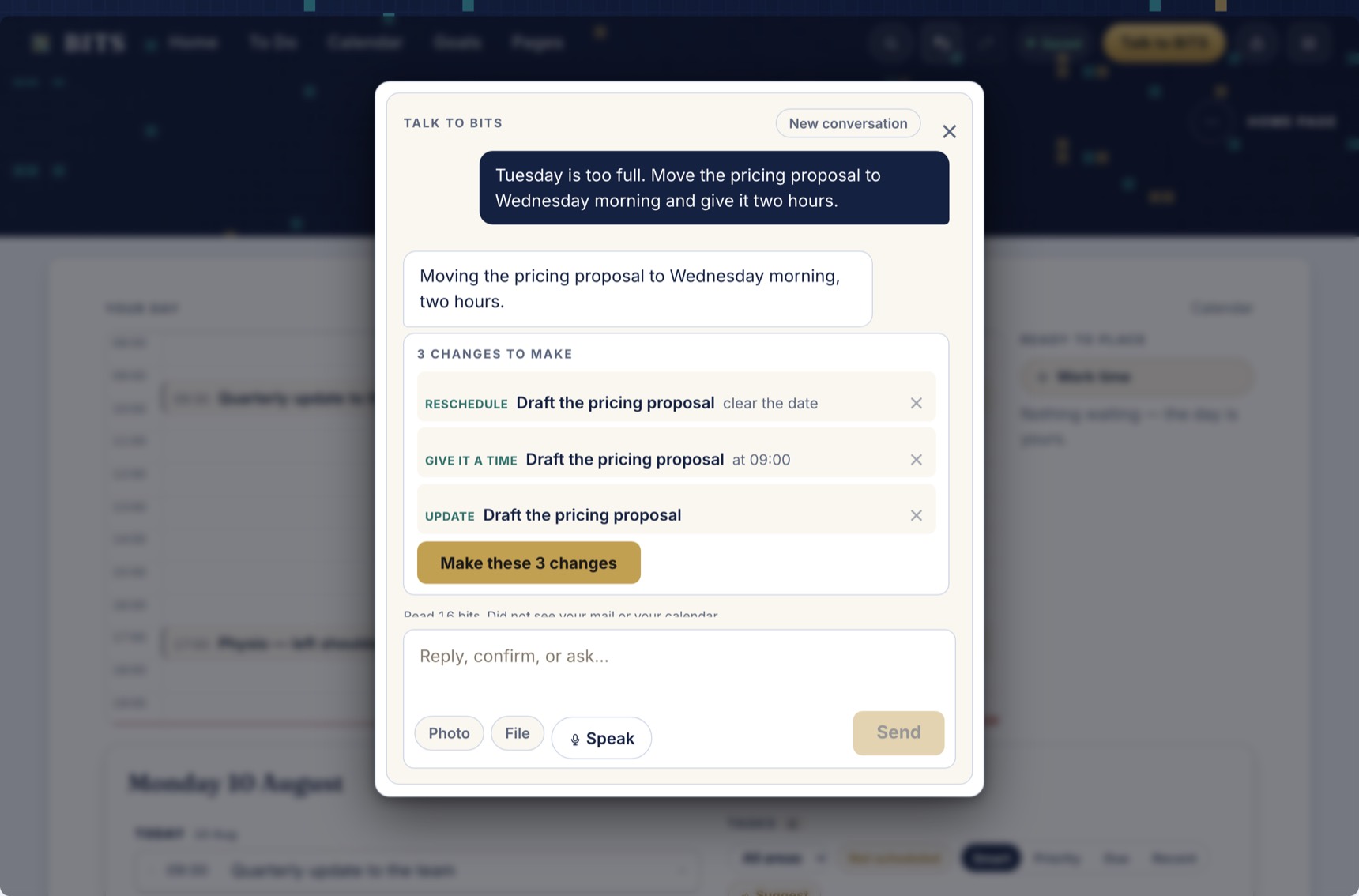
This is the part that isn't like other apps. Tell BITS what's happened — "Tuesday is too full, move the pricing proposal to Wednesday morning and give it two hours" — and it works out every change that implies.
It proposes; you decide. Each change is named and can be dropped individually, and the whole batch undoes in one step. Underneath, it says exactly what it looked at to answer you.
Also in there
Notes and documents that live beside the work rather than in a separate app. Your email, in the same place, so a message can become a task in one tap. Habits you log rather than get nagged about. Goals that break into steps and land on real days. Weekly and monthly reviews that BITS chairs and you decide.
You don't have to use any of it. Start with whatever's currently a mess — just the calendar, just the inbox, just a list — and switch the rest on if you ever want it. Anything you don't use comes off the screen entirely. The full list is here, if you like that sort of thing.
Why people move over
Every other setup makes you decide twice: once that a thing needs doing, and again — separately, later, by hand — when it's actually going to happen. Here that's one action.
The admin of being organised is the reason people stop being organised. Say what changed and BITS proposes the edits — across tasks, times, notes and drafts — for you to accept or bin.
Everything is sealed on your device before it goes anywhere, so this is a place you can safely put the things you wouldn't put in a work tool. That's not a bolt-on; it's why the thing was built.
Private, properly
Your password becomes a key on your device and never leaves it. What reaches our servers is unreadable noise under a random ID. We hold no key, so there's nothing we could hand over, sell, lose or be made to open.
Each request carries only what that one job needs — today's list, one page, one email. Every exchange is written to a log on your device that you can read and clear.
Your bits live on your device. BITS works on a plane, in a dead spot, anywhere — and quietly catches up across your devices when you're back.
No adverts, no trackers, nothing sold on. You can export the whole thing to a file whenever you like, and there's no export tax for leaving.
Don't take our word for it — the full security model sets out the machinery, the honest limits, and seven claims you can check yourself in about five minutes.
Fair questions
One app holding your tasks, calendar, notes and email, which shows you what today actually looks like, plans it with you, and makes the changes for you when you ask.
A to-do app gives you a list and leaves the hard part to you — deciding when any of it actually happens. In BITS the list and the calendar are the same thing: give a task a time and it's on the calendar. And you can hand the shuffling to BITS, which proposes the changes for you to accept or drop.
No. Start with the one thing that's currently a mess and ignore the rest. Anything you switch off comes off the screen entirely, so it isn't sitting there reminding you it exists.
No. Everything is sealed on your device before it goes anywhere. What reaches our servers is unreadable without your password — we couldn't read your bits if we wanted to.
When you set up BITS you get a recovery code. Keep it somewhere safe — it's the one way back in, because we hold no key and can't reset anything for you. That's the honest cost of a vault only you can open.
Fully. Your bits live on your device, so BITS works on a plane, in a dead spot, anywhere. When you're back online, your sealed copy quietly catches up across your devices.
BITS is free to use while it grows. No card, no catch. There are no adverts and no data business behind it.
No forced setup, no demo clutter to clear out. Add one thing, give it a day, and go from there.
Start free